Block AI Crawlers Without Hurting Google Rankings
Blocking AI training crawlers is straightforward when you target specific user-agent strings in robots.txt — leaving Googlebot and Bingbot untouched. Here's the exact method to do it safely.
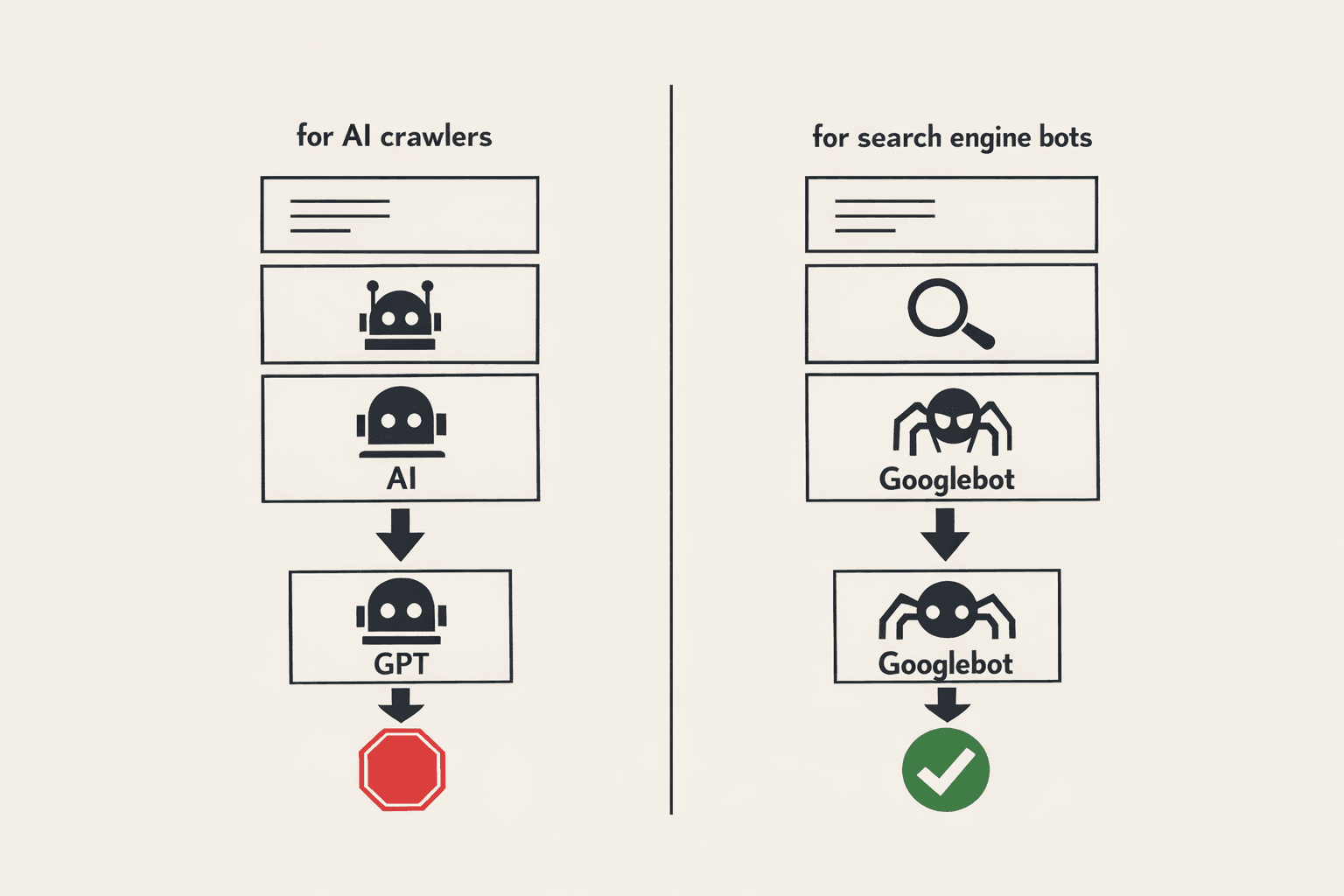
Blocking AI training crawlers is safe and precise when you target individual user-agent strings. Googlebot, Bingbot, and other search-engine crawlers operate under completely different user-agent identifiers than OpenAI's GPTBot or Common Crawl's CCBot — so a well-written robots.txt blocks one group without touching the other.
What Are AI Training Crawlers?#
AI training crawlers are bots that scrape publicly accessible web content to build datasets for large language models (LLMs). They are distinct from search-engine indexing bots. Common examples include GPTBot (OpenAI), CCBot (Common Crawl), anthropic-ai (Anthropic), and Google-Extended (Google's separate AI training crawler, different from Googlebot).
These bots respect robots.txt directives — at least the major ones from well-known AI labs do. Blocking them is a legitimate, widely supported practice.
Why Doesn't Blocking Them Affect Google Rankings?#
Google uses Googlebot and Googlebot-Image to index your content for Search. These are entirely separate user-agent strings from Google-Extended, which is the user-agent Google uses specifically for AI training products like Bard and Vertex AI. You can disallow Google-Extended without affecting your Google Search rankings at all.
The key principle: robots.txt directives are user-agent specific. A Disallow rule under User-agent: GPTBot has zero effect on User-agent: Googlebot.
How to Block AI Crawlers in robots.txt#
Add separate User-agent blocks for each AI crawler you want to exclude. Place these blocks after your existing Googlebot rules so there is no ambiguity.
# Block OpenAI training crawler
User-agent: GPTBot
Disallow: /

# Block Common Crawl
User-agent: CCBot
Disallow: /

# Block Anthropic
User-agent: anthropic-ai
Disallow: /

# Block Google AI training (does NOT affect Google Search)
User-agent: Google-Extended
Disallow: /

# Block Apple AI crawler
User-agent: Applebot-Extended
Disallow: /
Your existing Googlebot and Bingbot blocks remain unchanged. These AI-specific blocks sit alongside them independently.
Step-by-Step: Adding the Rules Safely
- Open your current robots.txt — typically at
https://yourdomain.com/robots.txt. - Locate your existing search-engine rules — confirm Googlebot is allowed or has specific path permissions you want to preserve.
- Append the AI crawler blocks — add each
User-agent/Disallow: /pair below your existing rules. - Validate the file — use Google Search Console's robots.txt tester or the SeoChatAI robots.txt generator to confirm syntax is clean.
- Deploy and verify — check that
https://yourdomain.com/robots.txtreturns HTTP 200 and renders correctly.
Which AI Crawlers Should You Block?#
The major identifiable AI training crawlers with documented user-agent strings include:
- GPTBot — OpenAI's training crawler
- ChatGPT-User — OpenAI's browsing/retrieval bot (separate from training)
- CCBot — Common Crawl, the base dataset for many open-source LLMs
- anthropic-ai — Anthropic's training crawler
- Google-Extended — Google's AI training product crawler
- Applebot-Extended — Apple's AI training extension
- Diffbot — used for knowledge graph and AI product training
- FacebookBot — Meta's training crawler
Note: some scrapers do not respect robots.txt at all. For those, server-level blocking (IP ranges, WAF rules) is the only reliable option.
What About Google-Extended vs. Googlebot?#
This distinction matters most for publishers worried about Google Search visibility. Google officially documented Google-Extended as the user-agent for its generative AI products. Disallowing it prevents your content from being used in AI Overviews training and similar products — but Googlebot continues to crawl and index your pages for organic search normally.
If you want to opt out of AI Overviews but remain fully indexed in Google Search, block Google-Extended and leave Googlebot open.
How to Generate a Clean robots.txt Automatically#
Manually editing robots.txt carries risk — a misplaced wildcard or indentation error can accidentally block Googlebot. The SeoChatAI robots.txt generator lets you select which crawlers to allow or block, previews the output, and flags syntax errors before you deploy. It's the fastest way to ship a correct file without reading through RFC documentation.
Can You Block AI Crawlers Partially (By Path)?#
Yes. Instead of Disallow: /, you can restrict AI crawlers to specific directories:
User-agent: GPTBot
Disallow: /private/
Disallow: /members/
This allows GPTBot to crawl your public marketing pages while protecting gated or proprietary content. The same path-level control applies to any user-agent.
Does robots.txt Blocking Actually Work?#
For reputable AI labs — OpenAI, Anthropic, Google, Apple — yes. They have publicly committed to honoring robots.txt. Common Crawl has honored it for years. The risk is with smaller, less accountable scrapers that treat robots.txt as optional. For those actors, combine robots.txt with:
- Rate limiting at the edge/CDN level
- IP blocklisting using published ASN ranges for known offenders
- WAF challenge pages triggered by unusual crawl patterns
For the major LLM companies, robots.txt is your primary and sufficient tool.
Key Takeaways#
- AI training crawlers use different user-agent strings than Googlebot — blocking them is surgical, not broad.
Google-Extendedis Google's AI training bot; disallowing it does not affect Google Search rankings.- Always validate
robots.txtsyntax before deploying — one error can affect the wrong bot. - Reputable AI labs honor
robots.txt; rogue scrapers require server-level controls.
Try our free robots.txt generator
Read article